
Software Considerations for Construction Companies & Contractors
A practical guide to choosing construction software: the six tool categories, off-the-shelf vs custom, seven buying questions, and when a custom build pays off.

Most contracting businesses do not fail at the jobsite. They bleed out in the back office instead. The estimator lives in spreadsheets, the project manager texts photos nobody files, and the books cannot see job costs. Every handoff between disconnected tools costs hours, and every lost hour costs margin. This guide walks through how to think about construction software before you spend a dollar on it.
Why Your Software Stack Now Decides Your Margins
Construction is enormous, and the money in it rewards operational control. The U.S. Census Bureau tracked public construction spending alone at a 532.7 billion dollar annual rate in April 2026. Private work adds far more on top. The volume is there, but margins stay thin for companies that cannot see their costs in real time.
The productivity data tells the sharper story. Per the Bureau of Labor Statistics, construction employed 5.2 percent of U.S. nonfarm payroll workers in 2024. Residential building productivity trended downward from 2007 through 2019, then began climbing. Industrial building construction posted a record 45.7 percent productivity jump in 2023 and another 16 percent in 2024. The gap between efficient builders and everyone else is widening fast. Your software stack is one of the few levers you fully control.
The Six Categories of Construction Software
Think in categories first and brands second. Almost every contractor ends up with a stack, not a single program, so the real question is how the pieces fit.
Project Management
These platforms handle RFIs, submittals, schedules, daily logs, and client communication. Procore dominates among mid-size and large general contractors, while Buildertrend leads with home builders and remodelers. The right choice depends on your project type, not the vendor's ad budget.
Estimating and Takeoff
Bidding speed and accuracy decide how much work you win in the first place. Tools like STACK handle cloud takeoffs, and Bluebeam is the staple for plan measurement and markup. Heavy civil estimators have their own standards, like HCSS HeavyBid.
Accounting and Job Costing
Generic bookkeeping cannot see inside your jobs. Construction accounting platforms like Foundation and Sage track cost codes, AIA billing, certified payroll, and retainage. QuickBooks offers contractor editions that work well early, until job complexity outgrows them.
Field and Mobile Tools
Your crews live on their phones, not at a desk. Field apps push plans, punch lists, time tracking, and daily photos straight to the jobsite. If the field crew will not use a tool, the data it was supposed to capture never exists.
CRM and Sales Pipeline
Leads, estimates, and follow-ups need a home before a job ever starts. A CRM keeps your pipeline visible and your follow-up consistent instead of living in someone's memory. For many contractors, this is the most neglected category on the list.
Documents and Compliance
Bluebeam is the industry standard for blueprint markup and design collaboration. Pair it with organized storage for contracts, change orders, insurance certificates, and compliance records. Lost paperwork has sunk more claims than bad workmanship ever did.
Off-the-Shelf vs. Custom: The Real Trade-Offs
Most contractors should start with off-the-shelf platforms, and most are right to stay there for years. The skill is recognizing when that stops being true.
Off-the-shelf is the right call when:
- Your workflows match how the software already operates out of the box.
- You need to deploy quickly with proven onboarding and training resources.
- Subscription pricing fits your current headcount and project volume.
- You are still learning which of your processes actually need software.
Custom software earns its cost when:
- Your team maintains spreadsheets to bridge the gaps between systems.
- Staff re-enter the same data into two or more tools every week.
- Per-seat fees across several platforms now rival what a build would cost.
- A workflow that wins you work is one no vendor supports.
Neither path is wrong. The expensive mistake is sitting on the wrong side of that line for years because switching feels disruptive.
Seven Questions to Ask Before You Buy
- Does it integrate with what you are keeping? Your project management, accounting, and CRM must share data without re-keying.
- How deep is the job costing? You need cost codes and committed costs per job, not one revenue bucket.
- Will the field actually use it? Test the mobile app with a foreman before you sign anything.
- What does migration involve? Ask who moves your historical jobs, contacts, and cost codes, and what that costs.
- What does support really cost? Some vendors charge for implementation, training, and priority support on top of licenses.
- Will it scale with you? Pricing tied to revenue or seats can punish growth. Read the renewal terms.
- What is the total cost of ownership? Count licenses, setup, training, integrations, and the admin hours it consumes each month.
Signs You Have Outgrown Off-the-Shelf Tools
The symptoms show up gradually, then all at once. Watch for these:
- A spreadsheet shadow system has grown up around your official software.
- Office staff spend hours each week re-entering data between platforms.
- Reports your managers need do not exist in any one system.
- You pay for five tools but use a fraction of each one.
- Workarounds have become training material for new hires.
When several of these sound familiar, it is worth pricing a custom build against your current stack. This is the problem firms like Pilot West Studios exist to solve. They build Custom ERP for construction businesses tailored to contractors and construction teams. The patchwork gets replaced with one system designed around how your company actually runs. The right time to evaluate custom is before the workarounds become the workflow.
Run the Selection Like a Project
You would never start a build without a scope, so do not buy software without one. A little process up front prevents the expensive do-over eighteen months later.
Start by writing down your actual workflows before you watch a single demo. Map how a job moves from lead to estimate to contract to the field to final billing. Note every handoff, every spreadsheet, and every place data gets typed twice. That map becomes your requirements list, and it keeps vendor demos honest.
Then pilot before you commit. Run one real project through the new tool with one crew and one project manager. A thirty-day pilot exposes more truth than thirty hours of sales calls. Watch where people fall back to old habits, because that is where the tool fails your workflow.
Finally, settle data ownership before you sign. Confirm you can export your jobs, contacts, documents, and cost history in a usable format. The vendor relationship may end someday, but your data should not end with it.
Your Software Stack Feeds Your Marketing Too
The same discipline applies to the front end of your funnel. Clean job data shows which services and cities actually make you money, and that should drive your marketing spend. At Growth Marketing Co, we see the pattern constantly with contractor clients. Companies with organized operations convert more of the leads that SEO sends them, because nothing falls through the handoff. Sloppy systems lose leads the same way they lose change orders. We covered the demand side in 5 ways marketing can grow your contracting business.
Construction Software FAQs
What software do most construction companies use?
Most run a stack instead of a single program. Procore, Autodesk, and Buildertrend lead project management, while Sage and Foundation lead construction accounting. Bluebeam is the standard for plan markup.
Which construction software is best?
It depends on your size and project type. Large general contractors lean toward Procore, and residential builders favor Buildertrend or JobTread. Field-heavy crews often pick mobile-first tools like Fieldwire.
Does QuickBooks have a construction version?
Yes. QuickBooks Online tracks job costs, and Desktop Enterprise offers a Contractor Edition. Many contractors move to construction-specific or custom platforms once project complexity outgrows them.
When does custom software make sense?
When double entry, workaround spreadsheets, and stacked subscription fees cost more than a build would. It fits established companies with stable workflows that no vendor supports well.
How much should a contractor budget for software?
It varies with headcount, project volume, and the categories you cover. The honest answer is to total your current subscriptions, implementation fees, and admin hours first. Most contractors are surprised by what the existing stack already costs them.
Pick the Stack That Pays You Back
A deliberate software stack is one of the highest-leverage decisions a contracting business makes. Audit your six categories, demand integration between them, and re-check the build-or-buy line as you grow. And when your operations are ready to handle more work, make sure the leads are there to feed them. Talk to Growth Marketing Co about turning an organized contracting business into a growing one.
Related Posts
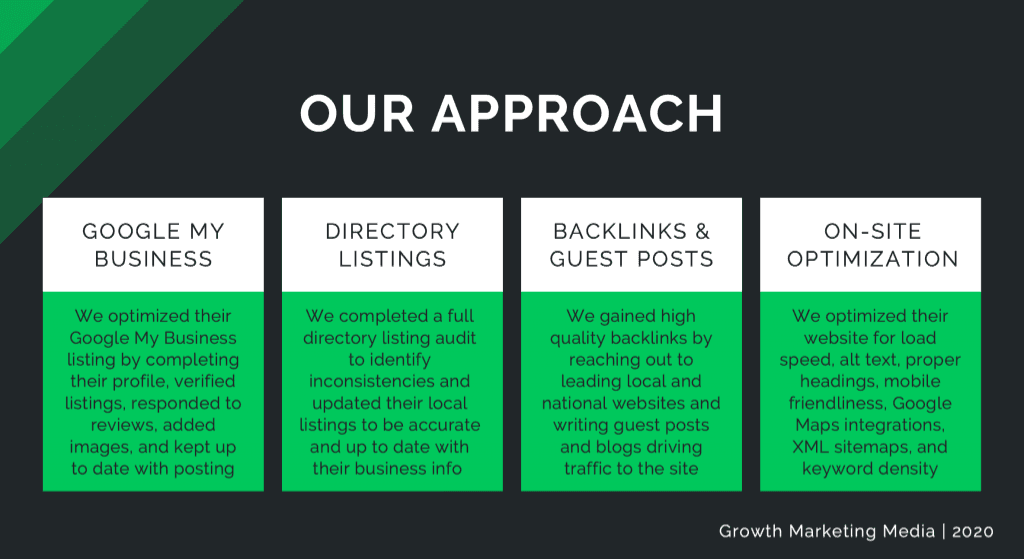
The Google My Business App Is Dead, Now What?
We have known since April 2022 that Google has been planning discontinuation of the “Google My Business” app. And this past month, Google removed the “Google My...

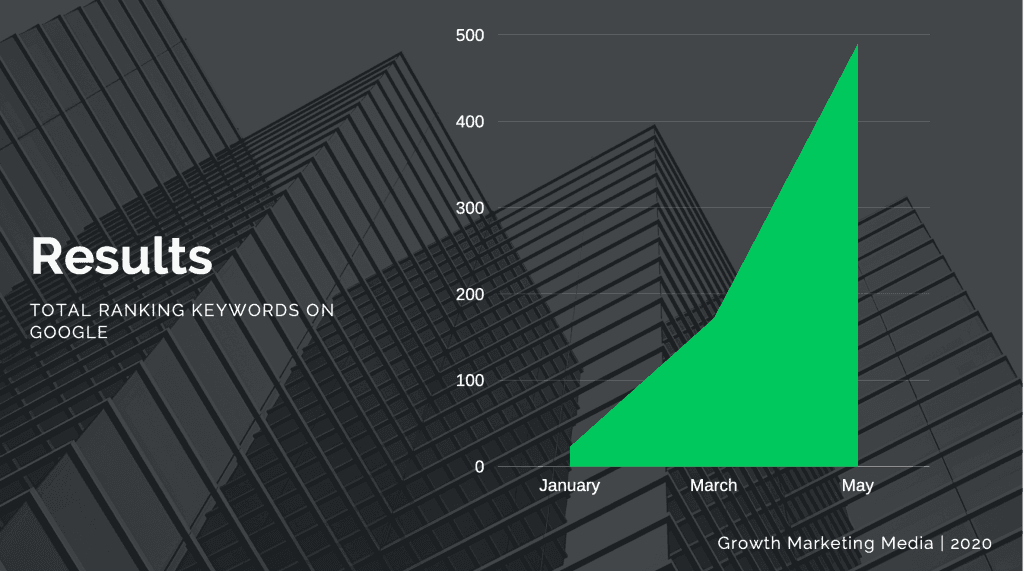
3 New Facebook Updates That Could Be Harming Your Business
The latest version of the iPhone operating system launches on September 12th, 2022. Meta, Facebook’s parent company, has rolled out 3 new updates that could har...
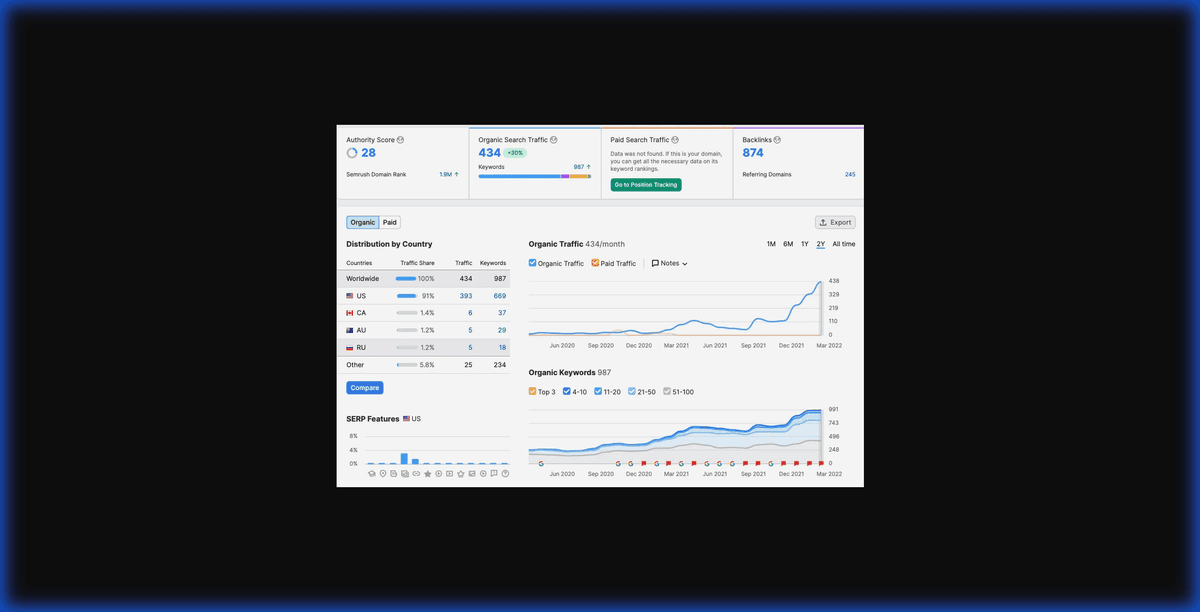
Optimize your local SEO for your home service business.
